
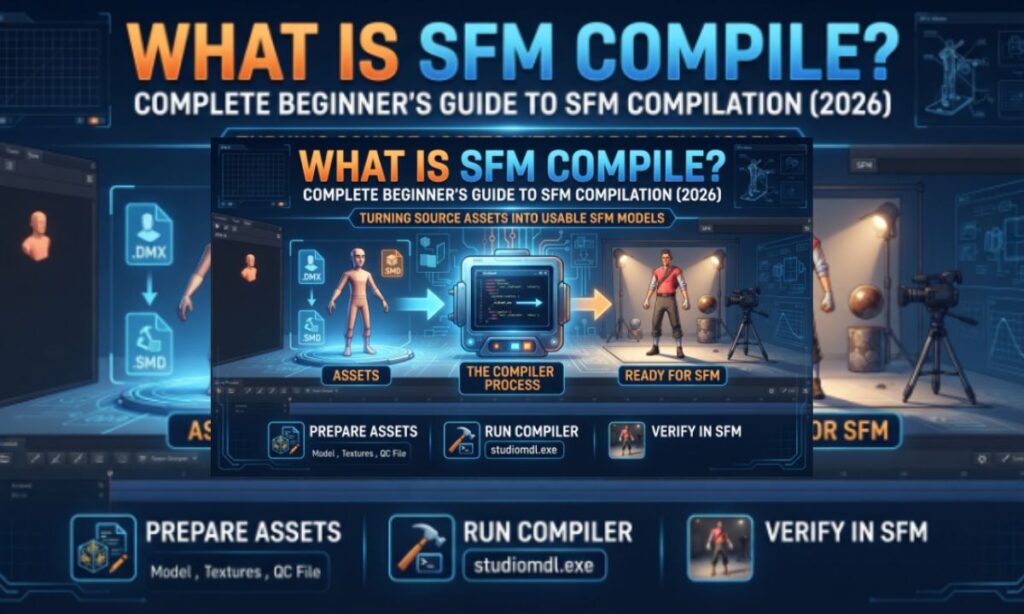
If you’ve spent any time browsing custom Source Filmmaker content, you’ve probably run into the term “SFM compile” and wondered what it actually means. It sounds technical, and honestly, it can be — but once you understand the logic behind it, the process stops feeling like a black box.
This guide breaks down what SFM compile is, the tools you need, the exact steps involved, the mistakes beginners make most often, and how to move from your first simple prop to more advanced custom models.
Understanding SFM Compile
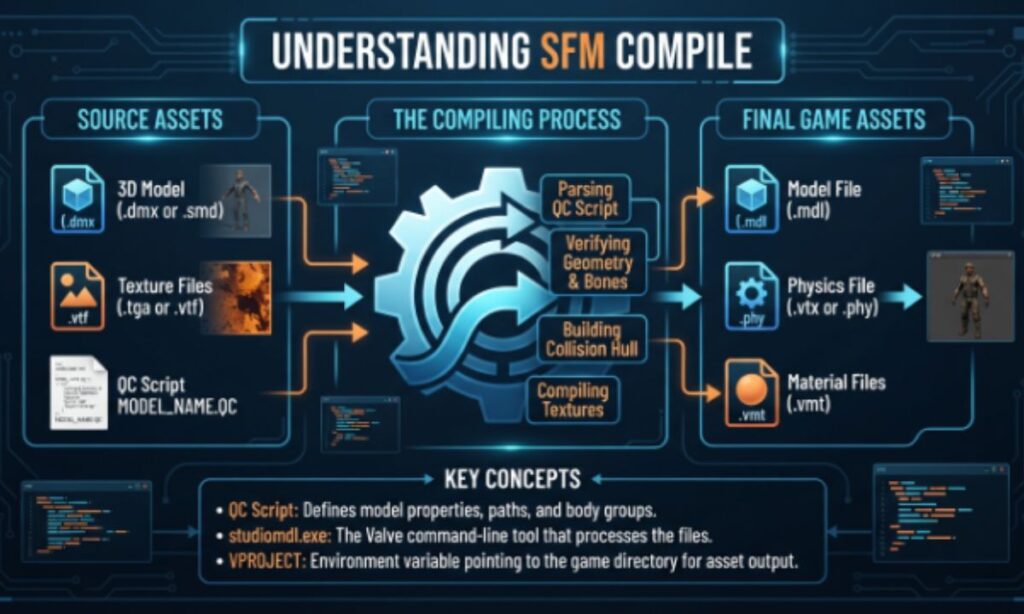
SFM compile is the process of converting a finished 3D model, along with its textures, skeleton, and animation data, into a format that Source Filmmaker and the Source Engine can actually load.
Source Filmmaker doesn’t read standard 3D files like .blend, .fbx, or .obj directly. Instead, it needs a compiled model — a set of files (MDL, VVD, VTX, and PHY) built specifically for the Source Engine. Compiling is the bridge between “a model that exists” and “a model that works inside SFM.”
In short: you build the model in a 3D program, export it into an intermediate Source-friendly format, write a script describing how it should be assembled, and then run a compiler that packages everything together.
Vital Software for SFM Compile
You don’t need a huge toolkit to get started. Most beginners rely on a handful of core programs:
| Tool | Purpose | Beginner Friendly? |
| Blender | Model creation, rigging, texturing | Yes (free, plugin support) |
| Studiomdl.exe | The actual command-line compiler | Moderate |
| Crowbar | GUI wrapper for Studiomdl | Yes |
| Half-Life Model Viewer (HLMV) | Preview and test compiled models | Yes |
| Notepad++ | Editing QC scripts | Yes |
| Source Filmmaker | Final environment for animation | Yes |
Blender is the most popular modeling choice because it’s free and has plugins built for exporting Source-compatible files. Maya and 3ds Max are common among professional riggers, but they aren’t necessary for beginners.
SFM Compile Process Steps
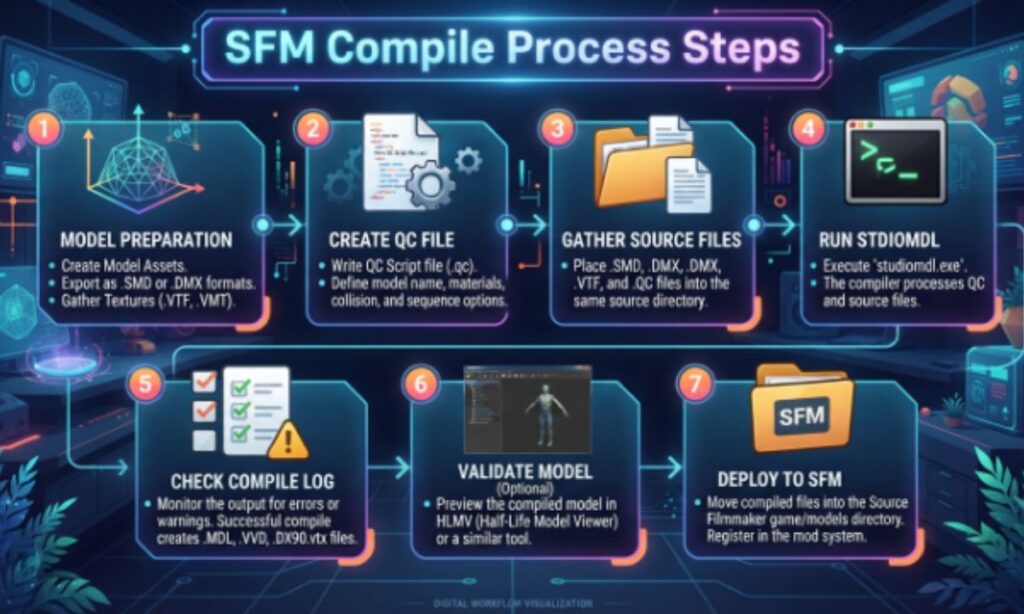
The compilation workflow generally follows the same order every time:
- Model creation — Build your mesh, rig it with bones, and paint weights in your 3D software.
- Export to Source format — Save the model as .smd or .dmx, the intermediate formats Source tools understand.
- QC file authoring — Write a plain-text script (the QC file) that tells the compiler how to assemble the model, where to find textures, and how bones should behave.
- Organize your folders — Keep models, materials, and QC files in short, clean folder paths.
- Run the compiler — Use Studiomdl directly, or Crowbar for a graphical interface with a visible compile log.
- Check the output — A successful compile produces MDL, VVD, and VTX files (and a PHY file if physics are involved).
- Verify in HLMV — Load the model in Half-Life Model Viewer to confirm textures apply correctly and bones move as expected.
- Import into SFM — Refresh the asset browser and drag the model into a scene to confirm everything works as intended.
SFM Compile at a Glance
Here’s a quick summary table for anyone who wants the short version:
| Stage | What Happens | Common Tool |
| Modeling | Mesh, rigging, weight painting | Blender |
| Export | Convert to SMD/DMX | Blender export plugin |
| Scripting | Write QC instructions | Notepad++ |
| Compiling | Package into MDL/VVD/VTX | Studiomdl / Crowbar |
| Testing | Confirm textures and bones work | HLMV |
| Deployment | Use inside a scene | Source Filmmaker |
What Are the Right Practices for SFM Compile?
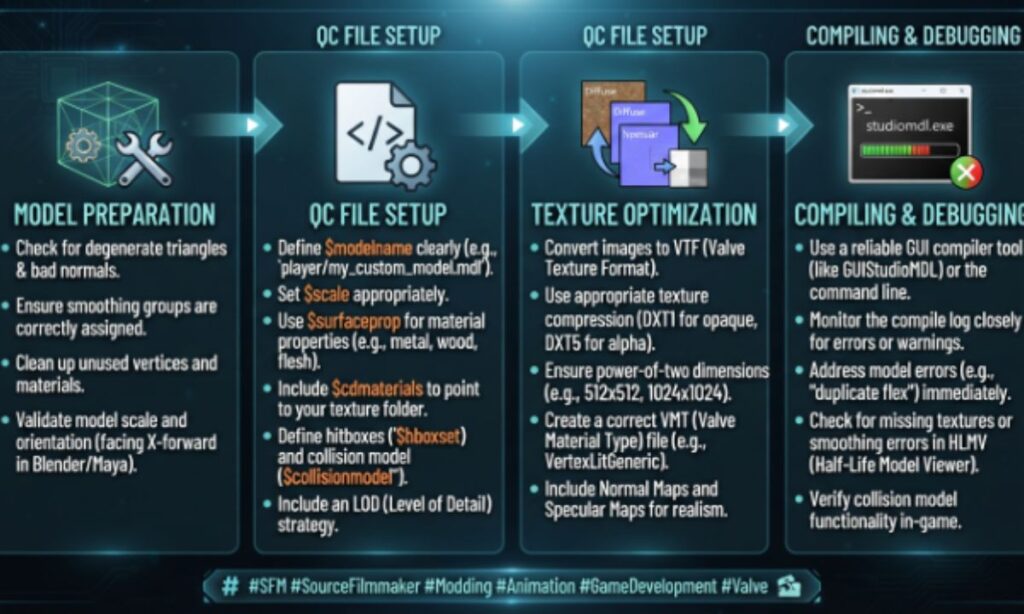
Good habits prevent most of the headaches beginners run into. Keep these in mind:
- Use short, simple folder paths with no spaces or special characters.
- Keep texture file names and material paths consistent throughout the project.
- Start with a simple static prop before attempting a fully rigged character.
- Always test in HLMV before loading anything into SFM.
- Keep a backup of your original SMD/DMX files before recompiling.
- Read the compiler’s log output line by line instead of skimming it.
Common Errors of SFM Compile
Even experienced creators run into compile errors occasionally. The most frequent ones include:
- Missing or incorrect material paths — the mesh loads, but textures appear as the checkerboard error pattern.
- QC syntax mistakes — a single misplaced command can stop the entire compile.
- File path issues — spaces or long nested folders often break the compiler.
- Bone or rigging errors — animations behave unpredictably if weights weren’t painted cleanly.
- Missing collision model — needed for physics-based interactions in some scenes.
Most of these are fixable by rereading the compile log, since Studiomdl and Crowbar both point to the exact line causing the failure.
SFM Tools Guide
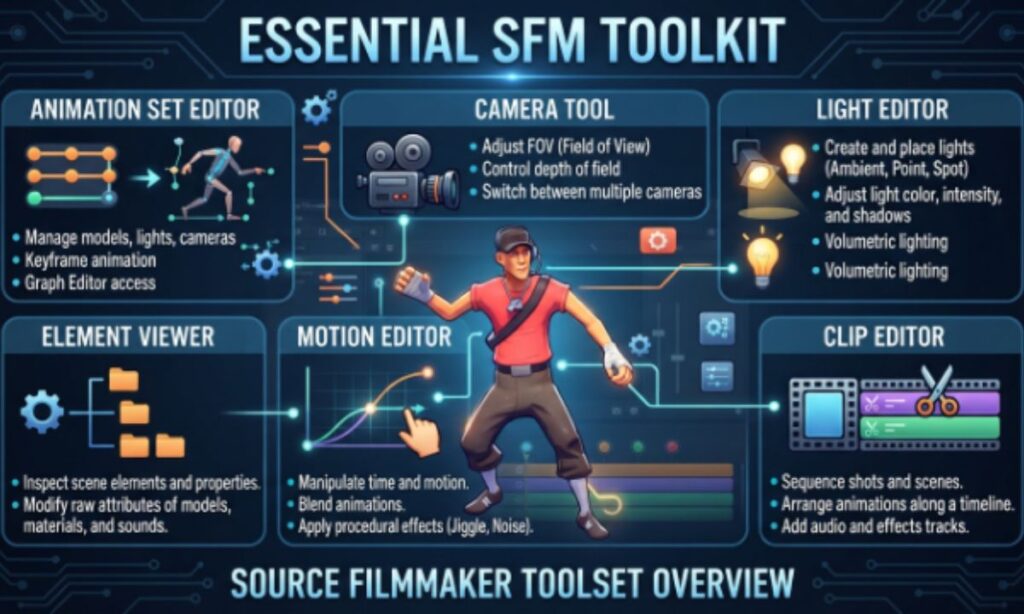
Beyond the core compiling software, a few extra tools make the workflow smoother:
- VTFEdit — for converting and previewing Source texture formats (VTF/VMT).
- GCFScape — useful for browsing existing Source game archives for reference assets.
- Crowbar’s decompiler — lets you study how existing official models are structured.
SFM Model Guide
When sourcing or building models for SFM, beginners generally choose between three routes:
- Building from scratch in Blender, which gives full creative control but takes longer.
- Modifying existing Source models, decompiled with Crowbar and re-textured or reshaped.
- Downloading community-made models, which are pre-compiled and ready to import.
For your first project, starting with a simple existing prop is usually easier than building a character rig from zero.
SFM Animation Basics
Once your model is compiled and loads correctly, animation happens inside Source Filmmaker itself using its Motion Editor and Graph Editor. Keyframes control bone positions over time, and the software interpolates the motion between them. A properly rigged and compiled model is essential here — poor rigging is one of the top reasons animations look stiff or glitchy.
SFM Mobile Version
Source Filmmaker is a desktop-only application built on the Source Engine and does not currently have an official mobile version. Compiling and animation work must be done on a Windows PC, though some artists preview renders or reference footage on mobile devices separately.
SFM School Program
Some schools and student clubs use Source Filmmaker informally as an entry point into 3D animation and game asset creation because it’s free and pairs well with Blender in beginner curricula. There isn’t a dedicated official “SFM school edition,” but many educators use it alongside general animation coursework.
SFM Download Options
Source Filmmaker is available for free through Steam. To get started:
- Search for “Source Filmmaker” in the Steam store.
- Download and install it like any other Steam application.
- Install supporting tools (Crowbar, Blender, HLMV) separately, since they aren’t bundled with SFM.
SFM 3D Assets
Custom assets — props, characters, and environments — come from three main sources: your own compiled models, decompiled and edited existing Source models, or community asset repositories such as the Steam Workshop. Always check licensing terms before reusing someone else’s compiled work in your own projects.
SFM Video Editing
Source Filmmaker includes a built-in timeline and camera system for arranging shots, but many creators export their final renders and finish editing (color grading, cuts, sound mixing) in dedicated video editors like Adobe Premiere or DaVinci Resolve for a more polished final result.
Sophisticated SFM Compile Techniques
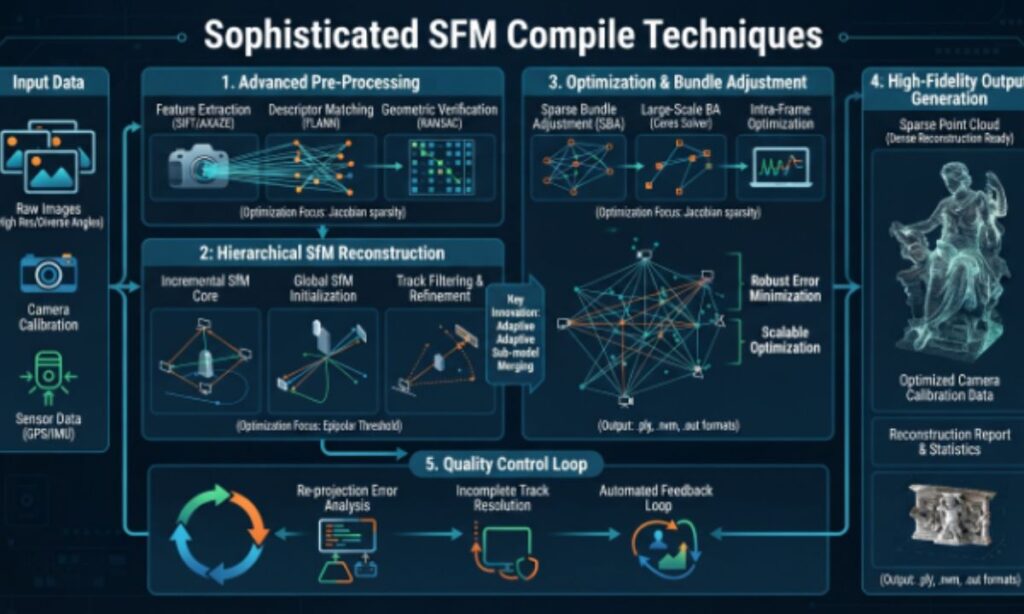
Once you’re comfortable with basic props, you can move into more advanced territory:
- Custom physics models (PHY) for realistic collisions.
- LOD (Level of Detail) setup so models simplify automatically at a distance.
- Custom bone controllers for facial rigs and expressive animation.
- Batch compiling multiple models at once using Crowbar’s queue feature.
SFM Compile Workflow for Beginners: Where to Start?
If this is your first attempt, follow this simplified path:
- Install Source Filmmaker, Blender, Crowbar, and HLMV.
- Build or download a simple static prop.
- Export it to SMD format.
- Write a basic QC file.
- Compile with Crowbar and check the log.
- Test in HLMV, then import into SFM.
Starting small removes the pressure of dealing with bones, animation, and physics all at once.
Conclusion
SFM compile might look intimidating at first glance, but it really comes down to a repeatable sequence: model, export, script, compile, verify, and import. Once you’ve compiled a handful of simple props, the workflow becomes second nature, and the more advanced techniques — rigging, physics, LODs — start to make a lot more sense.
Take it one project at a time, keep your files organized, and don’t skip the verification step in HLMV. That single habit alone prevents most beginner frustration.
Frequently Asked Questions
What are the best software options for structure from motion (SFM) photogrammetry?
Popular choices include Agisoft Metashape, RealityCapture, COLMAP, and Meshroom, each offering different balances of automation, accuracy, and cost.
How to get started with 3D model creation from image sets?
Capture overlapping photos from multiple angles, then feed them into photogrammetry software like Meshroom or Metashape to generate a point cloud and mesh.
How can I use SFM techniques for 3D reconstruction in drone mapping?
Drone-captured aerial images with sufficient overlap can be processed through photogrammetry software to reconstruct terrain and structures in 3D.
Best professional software for photogrammetry projects?
RealityCapture and Agisoft Metashape are widely used in professional mapping, surveying, and visual effects work.
Where can I find tutorials on SFM workflows for beginners?
YouTube channels, official software documentation, and community forums like the Photogrammetry subreddit offer step-by-step beginner tutorials.
Online services for automated 3D reconstruction from drone footage?
Services like DroneDeploy and Pix4Dcloud process drone footage into 3D models and maps without local processing power.
What are the industry standards for generating point clouds from photos?
Standards typically involve sufficient image overlap (60-80%), consistent lighting, and calibrated camera parameters before running SfM algorithms.
Tutorials for using an open-source structure-from-motion application?
COLMAP and Meshroom both offer free documentation and community tutorials for open-source structure-from-motion reconstruction.

Hi , I’m a language researcher and content writer with 6+ years of experience in word meanings, slang, abbreviations, and internet terminology. He writes clear, accurate, and easy-to-understand articles to help readers quickly find reliable definitions and understand modern language with confidence.